Free Live Demo: PCVITA CSV Duplicate Cleaner Tool - Fully Secured Download Version
Highly Reviewed and Rated Software by Experts
Software Informer awarded PCVITA as the most secured CSV Duplicates Remover for accurately finding and removing duplicate csv file data from more than 10GB file.
Best CSV Dedupe Software for Accurate Data Cleaning

When you are working with large datasets, customer databases, CRM exports and marketing lists then managing duplicate records in CSV files can quickly become frustrating. If you are using manual cleanup in spreadsheets then it works very slow, error prone and also very difficult to manage.
PCVITA CSV Duplicate Cleaner Tool is known to clean and Remove Duplicates from Large CSV Without Opening in Excel and helps you easily identify, compare and remove duplicate rows, columns and other records from one or multiple CSV files in just a few clicks. If you need to clean duplicate contacts, customer records or any business data our software delivers fast and accurate results without modifying your original csv files.
With support for unlimited CSV file sizes, batch processing, column based specific duplicate detection and cross file comparison the software provides you a reliable way to maintain clean, organized and import ready CSV data without relying on complex formulas or online tools.

Why CSV Duplicate Cleaner Tool Needed
Duplicate records are the most common issue in customer databases, CRM exports, contact lists, marketing data and other CSV files. Which simply lead to inaccurate reports, duplicate email campaigns, import errors and also unnecessary manual cleanup.
Excel and other manual methods only work for small datasets and they become slow and unreliable when you are handling large CSV files or multiple datasets.
PCVITA CSV Duplicate Cleaner Tool provides a faster and more reliable solution by automatically identifying and removing duplicate rows, columns or records based on your selected criteria. The software preserves your original files, processes large CSV datasets efficiently and helps to maintain clean, accurate and import ready data with minimal effort.
Common CSV Problems This Software Solves
Every duplicate record has the potential to create inaccurate results, unnecessary storage and wasted time. PCVITA CSV Duplicate Finder Tool is designed to find and eliminate these issues before they affect your business operations.
Remove Duplicate Records
Customer databases contain repeated entries created from multiple imports, CRM exports or manual updates. Software able to quickly identify duplicate customer records and removes unnecessary copies by preserving clean information.

Clean Duplicate Email Lists
Repeated email addresses can lead to duplicate email campaigns, higher marketing costs and poor customer experiences. PCVITA CSV Duplicate Cleaner helps you to create clean mailing lists by removing duplicate email records from CSV files.
Compare Multiple CSV Files
When you are working with multiple CSV exports it generally creates duplicate records across different files. Instead of reviewing each file manually our software compares multiple CSV files together and removes duplicate entries accurately.

Eliminate Duplicate Contact
If your CSV file contains Outlook contacts, data exported from a CRM, business directories or customer databases duplicates (such as phone numbers, names or contact details) can easily accumulate over time. You can remove duplicates based on specific columns.
Process Large CSV Files
Large CSV files which contain thousands or even millions of rows generally become difficult to manage in spreadsheets. Since PCVITA CSV Duplicate Cleaner tool imposes no practical file size limits and it easily processes very large CSV datasets without needing users to split files.
Improve Data Accuracy
Bringing any cross functional data into CRM platforms, databases, ERP systems or analytics software leads to compatibility issues and inaccurate reporting. So removing duplicate records from csv files early will help you clean up imports, reduce errors and ensure reliable data.
Advanced Features to Identify, Compare and Remove CSV Duplicate
Clean Data with Greater Confidence
Accurate data leads to better reporting, better allocation of resources and better business decisions. The software removes duplicate records by keeping important information and ensuring a reliable dataset for future reference.
Multiple Duplicate Detection Options
Every dataset is different and carries different values. So instead of applying single duplicate detection you can use our software to identify duplicates based on specific columns, entire rows, individual datasets or across multiple CSV files.
No File Size Restrictions
Whether you are cleaning a small contact list or processing enterprise scale CSV files that are containing millions of records our software is designed to handle your large datasets efficiently without forcing you to divide files into smaller parts.

You can easly Compare duplicate records, preview results and quickly remove unwanted CSV duplicates with complete accuracy.

Remove duplicate records safely without any modification to your original CSV file.
Preserve Original Files
PCVITA software is designed to perform every operation in read only mode that fully ensures your original file remains exactly as it was without any changes.
Faster Than Manual Cleanup
Get faster cleanup of csv files than manual efforts like relying on filters, formulas or any repetitive editing. You can easily identify and remove all duplicate records in just a few clicks.
Secure Offline Processing
Unlike any online CSV duplicate remover tools that need uploading your sensitive information to their external servers but PCVITA CSV Duplicate Cleaner Tool performs all operations locally on your computer.
Advanced CSV Duplicate Remover Tool Designed for Fast and Accurate Data Cleaning
Accurately remove duplicate records by comparing only the columns you choose Instead of checking every value in a CSV your file. Software lets you select specific columns such as Email Address, Phone Number, Company Name, Customer ID or any other field for duplicate detection.
Compare multiple CSV files together and remove duplicate records with ease. If you are managing duplicate data across multiple CSV files well it can be challenging. Using our software you can easily compare all your selected files together and identify all duplicated records within datasets. This feature is very useful when you are merging customer databases, contact lists or business reports gathered from various sources.
Clean each selected CSV file independently without affecting other files using this CSV Duplicate Cleaner. You can choose option "Within File" which allows you to quickly identify and remove duplicate entries from your selected CSV separately. This gives you the flexibility to clean individual datasets preserving the uniqueness of each file.
You can easily identify and remove duplicate entries (rows) from your CSV files. When an entire record is duplicated you can quickly identify the duplicates and remove the unnecessary copies. This will help you maintain clean data and improve overall data quality.
You can process multiple CSV files or your complete folders in a single operation. Instead of cleaning one file at a time you can simply add multiple CSV files or an entire folder and let the software process them together. Batch processing saves time and makes removal of duplicate data tasks much easier.
You can view complete duplicate removal stats after every operation. Once the process is complete you will have a detailed report displaying unique records, duplicate count, completed status, successful and failed files and overall progress using CSV Duplicate Cleaner.

Our software is available for both Windows and as Mac CSV Duplicate Remover Tool and compatible with all versions of both operating systems. The software allows you to clean up duplicate records regardless of operating system. Its easy and simple process gives you the best experience across platforms for individuals and businesses.
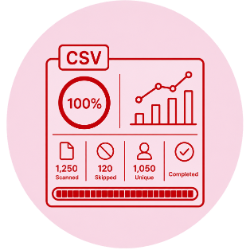
You can view complete duplicate removal progress dashboard like total number of CSV duplicates scaned by the software, how many skipped and Number of unique count and completed status of your project.
Built for Every CSV Data Professional
🏢
CRM Teams
Help to keep customer databases clean before CRM imports and prevent duplicate customer profiles.
💼
Sales & Marketing
Easy and quick removal option for duplicate email addresses and maintaining organized mailing lists.
📊
Researchers & Analysts
With the help of advanced filter and features data analysts team can prepare clean datasets for reporting.
🎓
Educational Institutions
Using PCVITA CSV Duplicate Remover Software institutions can quickly organize their student & administrative records.
🛒
E-commerce Businesses
There are many small and large scale businesses that need clean product catalogs and customer lists before importing.
🏪
Small Businesses
They can use our CSV Duplicate Cleaner tool to Manage inventory, contacts and financial CSV files with ease.
Remove Duplicate CSV Entries Safely in Just a Few Clicks
Step 1: Add CSV Files or an Entire Folder
Just launch the software and click Add File(s) to import individual CSV files or select the Add Folder option to load multiple CSV files at once.
Step 4: Select Destination and Preferred Action
Choose where you want to save your CSV files and reports. Then select your preferred action:
Step 2: Choose the Duplicate Removal Mode
After loading your files, click Next and choose how duplicate records should be identified. You can select one of the following options:
Step 5: Remove Duplicate Records
Click the Remove Duplicate button to begin processing. The software automatically scans the selected CSV files, identifies duplicate records according to your chosen criteria and prepares the cleaned CSV data for export.
Step 3: Select Duplicate Detection Criteria
Define how the CSV Duplicate Cleaner Software should identify duplicate records. You can choose one of the available methods:
Step 6: Review Results and Export the Report
Once the process is complete, the software displays a detailed summary containing the total files processed, unique record count, duplicate record count, successful file count and failed file count. You can also click View Report to open the generated report from the selected destination folder.
Download the Software to Remove Duplicates From Your CSV Files in Batch Mode
Software Download
Trial Limitations
Limitations
Demo version of this PCVITA CSV Duplicate Cleaner Tool for Mac OS and Windows allows to remove 10 Records/File only.
System Specifications
(Windows)
Hard Disk Space
Minimum 100 MB of free hard disk space
RAM
4 GB is recommended
Processor
Intel® Core™ 2 Duo CPU E4600 @ 2.40GHz 2.39GHz
(Mac)
Hard Disk Space
100 MB of free hard disk space required
RAM
4 GB is recommended
Processor
2.4 GHz is recommended
Application
Pre-Requisites
(Windows)
(Mac)
Supported Editions
(Windows)
(Mac)
Product Guides
FAQs















Electronic Delivery






Compare Between Free vs Pro CSV Duplicate Remover Tool
| Features | DEMO Version | FULL Version |
|---|---|---|
| Option to Add Single or Multiple CSV File | ||
| Batch Processing Option for CSV Files | ||
| Finding Case-Sensitive CSV Duplicate and Removal | ||
| Compare Two or More CSV Columns | ||
| Filter Option For Specific CSV Data Cleaning | ||
| Supports Windows or macOS (All Versions) | ||
| Remove CSV Duplicate Records | 10 Records/File | |
| Cost | FREE | $29 |
Frequently Asked Questions
What Customers Are Saying
The software is very useful in every way to remove duplicate rows from csv files. I used the first trial version to test the software and then I purchased it to complete my data cleaning task.

Martin Andelo
United States
I am very happy to use PCVITA software to find duplicate entries in my large csv file before import. The software helped me to quickly find and eliminate all the available duplicate customer records. I must recommend this software to everyone who is working with a csv dataset.
Stenio Frencis
Australia
PCVITA CSV Duplicate Cleaner Tool - Screenshots

Step 1: Download and launch the PCVITA CSV Duplicate Remover Tool on your system.
Step 2: Click on "Add Files" or "Add Folders" option to upload your csv files.

Step 3: Choose Duplicate removal option to as per your specific row or column base detecteion.
Step 4: Finally, click on remove duplicate button to remove duplicate data from csv file.
PCVITA Mac CSV Duplicate Remover - Guide
 English
  日本の
日本の 
 Download Mac
 Download Now


