Add Outlook Profiles Together- Run PST Magic Software!
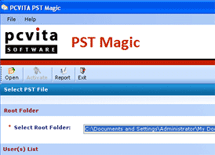 Sometimes you use different Outlook profiles to carry out your email communication for e.g. one profile to carry out the emails of one company, second profile to carry out the emails of second company, third profile to carry out your personal email communication, etc but, with the usage of three different Outlook profiles, the requirement of Outlook management becomes mandatory to avoid problems.
If you wish to add Outlook profile together then, you can run PST Magic software. This software is designed to add complete Outlook profiles together. Neither one nor two but, many users combined their Outlook profiles completely with it. It gives you the;
- Facility to add Outlook emails,
- Facility to add Outlook contacts,
- And, facility to add Outlook calendar.
Splitting and Combining are two popular processes, which are used in Outlook PST management. Process of Splitting is used to increase the performance speed of Outlook and process of combining Outlook PST files is used to make the search of particular information, quicker.
Now, if you are thinking about the combining of PST files of different Outlook editions then just relax because this tool allows you to add Outlook profiles of all editions.
- You can add Outlook Profile 2003,
- You can add Outlook Profile 2007, and
- You can add Outlook Profile 2010 with it.
After combining Outlook profiles together, if you wish to add Outlook profile anytime then, also you use this software. It’s a magic tool by which you can split large PST files.



While splitting large PST files, you don’t face any kind of change in the email information of your PST. The email subject remains actual, the email attachments and the email details like body, day and time remain actual.
Product Navigation
Why to PCVITA PST magic?
Chat with Our Experts


Split PST and Backup PST!

Utilitarian Piece of Info!
» File System to SharePoint Migration
» Lotus Notes to Exchange Migration
» Migrate Lotus Notes to Google Apps


Know What's Recent?

